The AI world just had one of its biggest weeks yet. And if you’ve been waiting for AI productivity tools that actually fit into real work — not just lab benchmarks — this is the moment. OpenAI, Anthropic, Thinking Machine Labs, and Google all made major moves. Here’s what matters, why it matters, and exactly how to add it to your stack.
The Great Shift: From Benchmarks to Real-Time Utility
AI is no longer just about scoring high on tests. The real breakthrough is interactive, real-time utility — tools that work with you, not just for you. This shift changes everything about how ambitious professionals can use AI in their daily workflows. The gap between what AI can do in a demo and what it does in your actual workday is finally closing.
For years, AI demos looked impressive but felt disconnected from real work. Models could pass bar exams and write code. But they couldn’t interrupt you mid-sentence when they spotted a better path. They couldn’t translate a live conversation while tracking its emotional context. That’s changing — fast.
According to McKinsey’s Global Institute, generative AI could add between $2.6 trillion and $4.4 trillion in annual value across industries. The largest gains are in roles that mix communication, analysis, and decision-making. That’s exactly the work these new tools are built for.
The tools dropping right now aren’t incremental upgrades. They represent a structural shift in what AI can do inside a productive workflow. Let’s break them down one by one.
Key Takeaway: AI has crossed a threshold — it’s no longer about raw capability. It’s about tools that integrate into real work in real time. If your stack doesn’t reflect this shift, you’re already falling behind.
OpenAI Codex Goes Mobile: Your AI Productivity Tools Just Got Portable
OpenAI has finally brought Codex — its AI coding engine — to mobile. This is one of the most practically useful moves OpenAI has made in a long while. Developers and technical professionals can now access Codex-powered workflows from their phones, removing the “desk-only” limitation that held back remote and async work entirely. That’s a genuine workflow unlock, not a feature gimmick.
Why Mobile Codex Is a Real Game-Changer
Think about your workflow. How often do you catch a bug during a commute? Or spot a logic error while you’re away from your desk? Before, you’d screenshot it, write a note, and circle back later. Now you can act immediately.
Mobile Codex lets you review pull requests, debug snippets, and iterate on logic — all from your phone. GitHub’s own research found that developers using AI coding assistants completed tasks up to 55% faster than those working without them. That speed advantage now extends beyond the desktop. For anyone who codes as part of their stack, that’s a compounding edge.
How to Add This to Your Stack
The smartest approach is a two-tier setup. Use Codex mobile for async reviews, quick fixes, and feedback loops when you’re away from your main machine. Reserve deep coding sessions for your desktop environment. This keeps your deep work blocks clean while eliminating lag in async communication. Don’t try to do everything on mobile — just remove the friction points that create delays.
Key Takeaway: OpenAI’s mobile Codex removes location dependency from technical workflows. Use it for async reviews and quick iterations, not deep work sessions. That’s how you compound the productivity advantage.
Thinking Machine Labs Just Redefined What AI Conversations Look Like
While OpenAI grabbed the headline, Thinking Machine Labs dropped something remarkable: a conversational AI model that behaves more like a real thinking partner than any chatbot you’ve used before. It does simultaneous translation in real time. More importantly, it can interrupt and redirect a conversation based on full context — not just keywords. If the direction of a discussion shifts, the model adapts. That’s a fundamentally different kind of AI interaction, and it changes what “using AI” even means.
Why This Changes How You Use AI
Current AI tools are reactive. You prompt, they respond. Thinking Machine Labs is pushing toward something more reciprocal. The model doesn’t just answer — it tracks the full thread of a conversation and steers it more intelligently.
Imagine briefing an AI on a complex project. Instead of giving you generic output, it asks clarifying questions mid-briefing. It flags contradictions. It says, “Wait — based on what you said earlier, this might conflict with your goal.” That’s not a chatbot. That’s a thinking partner.
According to Stanford’s 2024 AI Index Report, user satisfaction with AI assistants increases significantly when the system demonstrates context retention across a conversation. Thinking Machine Labs has tackled that problem head-on with this new model.
Where This Fits in Your Productivity Stack
This model isn’t widely available yet — but it signals clearly where conversational AI is heading. Start thinking now about how you’d use a context-aware AI partner in your workflows. The professionals who plan for this early will integrate it fastest when it lands. Don’t wait for the release to figure out the use case.
Key Takeaway: Thinking Machine Labs is building AI that tracks conversational context and adapts dynamically. This is the next frontier in AI — not just output, but genuine back-and-forth collaboration that catches what you miss.
Anthropic’s Pre-Built Agents Are Targeting Your Industry
Anthropic isn’t trying to win the general AI race. It’s going vertical. The company is releasing pre-built agents specifically for legal professionals and small business operators. This is a calculated, targeted move — and it should change how you think about your own workflow. A specialist tool built for your domain will almost always outperform a generalist one forced into the same role.
What Pre-Built Agents Actually Mean
A general AI assistant is like a Swiss Army knife. It does a lot, but you have to configure it for each specific task. A pre-built agent is a specialist. It’s already trained on the terminology, context, and workflow patterns of a specific industry.
Anthropic’s legal agent can navigate contract language, flag risk clauses, and summarize case law in ways a general chatbot simply can’t do reliably. For a solo practitioner or small firm, that’s hours of research time reclaimed every single week.
Deloitte’s 2024 Future of Work report found that AI adoption rates are 3x higher when tools are purpose-built for specific workflows rather than general-purpose. Anthropic is betting on exactly that principle — and the data backs it up.
The Stacking Opportunity Here
The highest-leverage move isn’t using a general AI for everything. It’s layering a specialized agent on top of your general-purpose tools. Use the general AI for brainstorming and communication. Use the vertical agent for domain-specific execution. That’s how you build a stack that compounds over time rather than plateauing.
Key Takeaway: Anthropic’s vertical agents outperform general AI tools for industry-specific tasks. The smartest stack layers specialized agents on top of general-purpose AI — not one tool struggling to do everything.
Google’s Big Bet: A World Without Keyboards
Google is playing a longer game than everyone else in this cycle. Through its new Google Book initiative and advanced gesture-controlled interfaces, Google is building toward a future where natural language and visual recognition replace traditional keyboard inputs entirely. This isn’t a distant vision — it’s an active roadmap with working prototypes already in the lab. And it has real implications for how you’ll build your productivity stack over the next few years.
Gesture Controls and Natural Language as the New Interface
The interface is always the bottleneck. You can have the most powerful AI in the world, but if you’re still typing prompts into a text box, you’re adding friction. Google’s vision removes that friction. Point at an object. Gesture toward a screen. Speak naturally. The AI reads intent and executes.
Google’s research division has demonstrated gesture-recognition interfaces that respond to hand movements with less than 20 milliseconds of latency — below the human threshold for perceiving lag. Pair that with strong natural language understanding, and you’re looking at a fundamentally different input paradigm for knowledge work.
What This Means for Your Stack Today
You don’t need to overhaul your workflow overnight. But start reducing input friction right now. Voice-to-text, AI-powered clipboard tools, and no-code automation are stepping stones toward the gesture-and-language-first future Google is building. Remove keyboard-dependent bottlenecks from your highest-frequency tasks. That’s the right preparation move today.
Key Takeaway: Google’s gesture and natural language interfaces signal the end of the keyboard as the primary input device. Reducing input friction in your current stack is the right move to make right now — before the shift is forced on you.
How to Build Your AI Productivity Stack Right Now
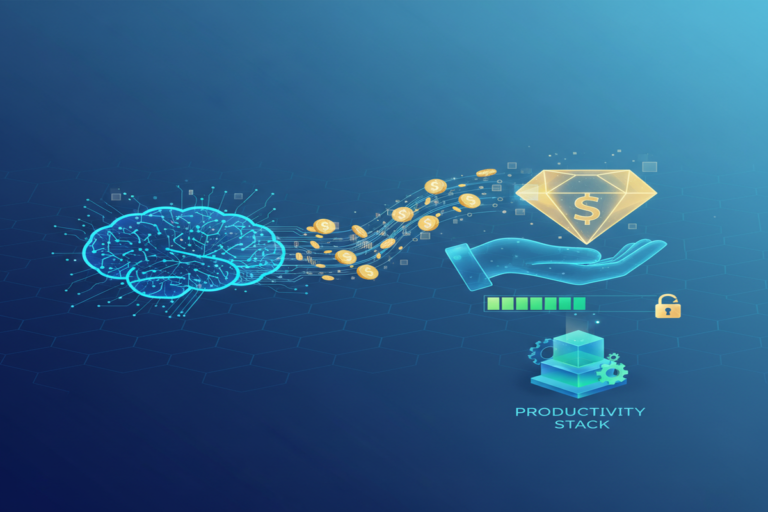
Every one of these releases points in the same direction: AI is becoming a layer inside your workflow, not a separate tool you tab over to. The professionals winning with AI aren’t using more tools — they’re layering the right ones intentionally. Here’s the three-layer framework to build your stack properly, starting today.
Layer 1 — General Intelligence (Your Foundation)
Start with a strong general-purpose AI assistant — ChatGPT, Claude, or Gemini. This is your brainstorming layer, your communication layer, and your research layer. Keep it flexible. Don’t over-specialize it. Use it for anything that doesn’t require deep domain expertise.
Layer 2 — Specialized Agents (Your Execution Layer)
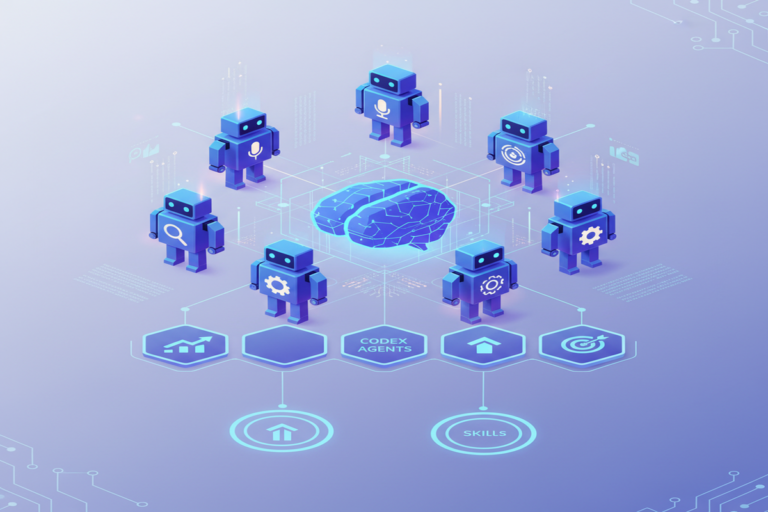
Add vertical or task-specific agents on top. Codex for code. Anthropic’s legal or business agents if they fit your industry. Specialized AI tools for your specific output type. These agents take the raw direction from Layer 1 and execute with precision and domain-specific accuracy that general models can’t match.
Layer 3 — Automation and Integration (Your Leverage Layer)
Connect your AI tools to your existing systems. Zapier, Make, and native integrations let your AI outputs flow directly into your CRMs, project management tools, and communication platforms. This is where the real time savings compound — when AI isn’t a tab you open, but a system running in the background.
A 2023 Salesforce report found that workers who integrated AI directly into their existing software stack saved an average of 3.6 hours per week compared to those using AI as a standalone app. That’s nearly a full workday reclaimed every month — just from better integration architecture.
Key Takeaway: The highest-performing AI stacks use three layers — a general intelligence foundation, specialized execution agents, and automation connecting them all. Build in that order. Layer 3 is where the real time savings compound.
Frequently Asked Questions About AI Productivity Tools
What is OpenAI Codex and how does it improve productivity?
OpenAI Codex is an AI model trained specifically on code. It helps developers write, debug, and review code faster. With mobile access now available, it lets technical professionals act on coding tasks outside the office — cutting lag in async workflows and reducing the time between spotting a problem and fixing it.
How is Thinking Machine Labs different from ChatGPT or Claude?
Thinking Machine Labs focuses on conversational dynamism — building AI that interrupts, redirects, and adapts based on the full context of a discussion. Unlike standard AI tools that respond to individual prompts, this model tracks the entire thread of a conversation and actively steers it. It also supports real-time simultaneous translation.
Are Anthropic’s pre-built agents better than a general AI assistant?
For domain-specific tasks, yes. Pre-built agents trained on legal, financial, or business data outperform general AI tools on specialized tasks. Research consistently shows that purpose-built AI tools see higher adoption and better outcomes than generic alternatives used for the same purpose. Use general AI for broad tasks and specialized agents for precision execution.
When will gesture-controlled AI interfaces become mainstream?
Google’s current roadmap and working prototypes suggest advanced natural language and gesture interfaces will reach mainstream use within three to five years. Early preparation — using voice tools, reducing keyboard dependency, and building automation into your stack — positions you to adopt these interfaces faster when they arrive.
Conclusion: Stack Smarter, Not Just Faster
This wasn’t a slow news cycle. OpenAI made Codex portable. Thinking Machine Labs redefined what a conversational AI partner looks like. Anthropic went deep on vertical agents. And Google is actively building toward a keyboard-free future.
Each of these moves adds a new layer to what’s possible with a modern AI productivity tools stack. The professionals who win won’t be the ones using the most tools. They’ll be the ones who layer them intentionally — foundation, execution, automation — and keep updating their stack as the landscape shifts.
You now know exactly where the landscape is moving. Build accordingly.
You might also enjoy: How Claude Code Recovered $400,000 in Lost Crypto — And What It Means for Your Productivity Stack