I Tested OpenAI’s New Super App — Here’s What It Can Really Do
The race to build the ultimate AI productivity hub just got serious. OpenAI’s new super app isn’t just a chatbot upgrade — it’s a genuine attempt to collapse your entire digital workflow into one intelligent interface. We’re talking code generation, image creation, persistent memory, and multimodal task execution, all in one place. If you’ve been juggling a dozen tools to ship one project, this might be the stack consolidation you’ve been waiting for. Let’s break down exactly what it does and whether it earns a spot in your setup.
What Is the OpenAI Super App?
The OpenAI super app is a unified AI platform that merges coding, image generation, reasoning, and memory into one continuous workspace. Instead of switching between separate tools, you work with a single AI that handles every layer of a project at once — without breaking your flow.
Right now, your workflow probably looks fragmented. You draft copy in one tab, generate images in another, debug code in a third, and track tasks in a fourth. You’re the human glue holding it all together. The super app aims to fix that. It acts as the central AI layer across your entire workflow — so you stop losing time to constant context-switching.
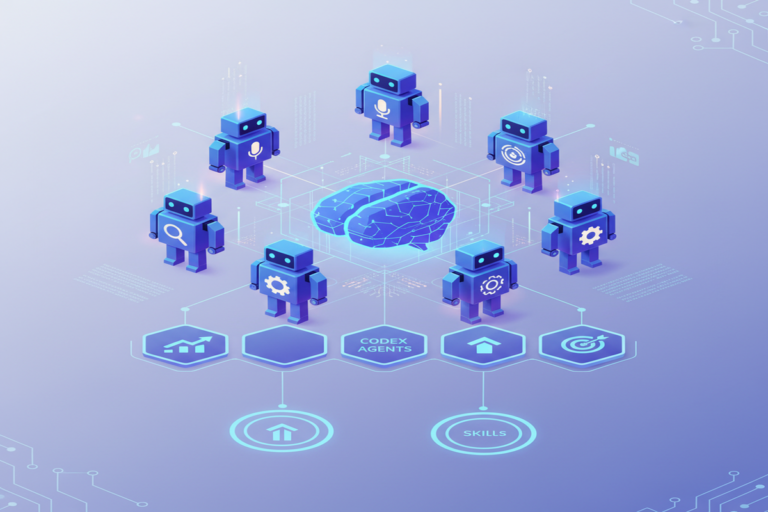
At its core, the platform is built around the Codex environment — OpenAI’s upgraded AI agent designed for multi-step, complex digital builds. It doesn’t just answer questions. It executes tasks, manages project files, and operates alongside you like a skilled collaborator who actually remembers what you told it last week.
According to a McKinsey Global Institute report, knowledge workers lose up to 19 hours per week on coordination overhead — searching for information, switching between apps, and re-establishing context after every interruption. That’s nearly half a standard workweek gone. The super app is a direct attack on that problem.
Key Takeaway: The OpenAI super app consolidates coding, image generation, memory, and reasoning into one workspace — directly targeting the tool-switching overhead that drains knowledge worker productivity.
The Codex Environment: Your New AI Build Partner
Codex is the engine powering the platform’s most impressive features. It’s OpenAI’s specialized AI agent for code-centric, multi-step workflows. But calling it a “coding assistant” seriously undersells what it does inside the super app.
What Codex Actually Does
Codex doesn’t just spit out code snippets on demand. Inside this platform, it works more like a project co-pilot. You give it a high-level goal — say, “build me a landing page for my SaaS product” — and it starts executing. It writes the HTML, suggests a layout, flags where you’ll need dynamic functionality, and moves forward without waiting for permission at every step.
Most AI tools today are reactive. You prompt, they respond. You prompt again, they respond again. Codex is proactive. It holds project context across sessions. It makes decisions within the scope of your goal. That’s a fundamentally different way of working with AI — and it changes what’s possible for solo builders and small teams.
The Speed Gains Are Real
GitHub’s own research found that developers using AI coding assistants complete tasks 55% faster than those without them. That data came from Copilot — a narrower, more limited tool. Codex, with its expanded context window and agent-level capabilities, aims to push those gains further. You don’t need to be an engineer to benefit. Describe what you want in plain English and get a working build back in minutes, not hours.
Key Takeaway: Codex functions as a proactive project co-pilot, not just a reactive code generator — making it genuinely useful for both developers and non-technical builders who can communicate a clear goal.
Multimodal Workflows: Design, Code, and Create Simultaneously
The biggest technical leap here is simultaneous multimodal task execution. That means designing a layout and generating the visual assets for it at the same time — in the same session, with full project context maintained throughout. No more copy-paste between apps.
Here’s a concrete example. You tell the app you’re building a product page. It doesn’t just draft the copy. It creates a wireframe structure, suggests a visual hierarchy, generates placeholder hero images that match your brand direction, and writes the meta description — all in one continuous workflow. You stay in one place. The AI handles the tool-switching for you.
Why This Matters for Your Focus
Sequential task handling is one of the biggest hidden time costs in creative work. Most AI tools force you to finish one task, copy the output, switch apps, and restart context in a new environment. Research from the University of California, Irvine found it takes an average of 23 minutes to fully regain deep focus after a single interruption. Multiply that by every tool switch in your day and the math gets brutal fast.
Simultaneous multimodal processing cuts that cycle at the root. The AI holds your full project context — goals, assets, constraints — and generates outputs across text, code, and visuals without breaking your flow state. That’s not a minor convenience. It’s a structural change to how creative work gets done.
Key Takeaway: Simultaneous multimodal execution eliminates the context-switching tax between creative tools — protecting deep focus and measurably reducing the time it takes to complete complex digital projects.
Memory and Personalization: The App That Learns You
Persistent memory is what separates a productivity tool from a productivity partner. OpenAI’s platform stores your preferences, past projects, and working style across sessions — so you stop re-explaining yourself every single time you open a new chat.
Most AI tools start completely fresh every conversation. You re-upload your brand guide. You re-describe your target audience. You re-set your tone preferences. It’s tedious, and it quietly erodes the time savings AI is supposed to deliver in the first place.
What Changes With Persistent Memory
With memory enabled, the app remembers things like your preferred coding language, your brand’s tone of voice, your typical project structure, and even your feedback patterns. If you consistently ask for “punchier copy,” it starts writing punchier copy by default. You get a compounding productivity return the longer you use it.
This is how the “second brain” concept finally gets close to its true potential. Tools like Notion and Obsidian are excellent for storing information. But they’re passive — they hold data, they don’t act on it. The memory layer here is active. It applies what it knows to every task automatically, without you having to prompt it.
Privacy Trade-Offs You Shouldn’t Ignore
Memory-enabled AI means your working preferences and project details live in OpenAI’s systems. That’s a real trade-off. If you handle sensitive client data, audit what memory is capturing. OpenAI provides memory management controls that let you view, edit, and delete stored information. Use them. Don’t skip this step — especially if you work in a regulated industry where data handling carries legal weight.
Key Takeaway: Persistent memory transforms the platform from a reactive tool into a personalized AI partner with compounding returns — but demands deliberate privacy management before you use it for professional work.
How the OpenAI Super App Fits Into Your Current Productivity Stack
Where It Wins
If your workflow is heavy on content creation, website building, or digital production, this platform delivers a genuine consolidation win. Instead of paying for separate subscriptions to a writing tool, an image generator, a coding assistant, and a project memory app, you get all of them unified under one roof at one cost.
OpenAI has reported more than 200 million weekly active users on its platform. That massive user base has driven unusually fast product iteration. Features that were rough six months ago have improved significantly. The development velocity here is faster than almost any individual productivity tool you’re currently running.
Where It Doesn’t Replace Specialized Tools
Deep project management — think Notion databases, Asana boards, or Linear sprint tracking — isn’t where this shines. It’s a creation and execution environment, not a structured task management system. Your project management stack will likely stay in place.
The same is true for professional design. Figma’s collaboration features, component libraries, and design-to-dev handoff workflows remain best-in-class for serious UI/UX work. The platform’s image and layout generation is excellent for rapid prototyping. It’s not a Figma replacement — at least not yet.
Real Limitations to Know Before You Switch
Context window limits still apply. Very large projects can hit the ceiling of what the AI can hold in active memory. Long codebases or complex multi-document workflows require careful chunking to stay coherent.
Hallucination risk doesn’t disappear. Any code it writes needs testing. Any facts it references need verification. Treat every output as a strong first draft — never as a finished product ready to ship.
Expect a 2–3 week learning curve. Getting maximum value requires learning how to prompt effectively, configure memory correctly, and structure your workflow around the platform’s actual strengths. Budget onboarding time before you expect peak efficiency gains.
Key Takeaway: This platform wins for content creation and digital builds, but it complements rather than replaces specialized tools like Figma or Notion. Plan for 2–3 weeks of intentional onboarding before you hit full productivity.
FAQ: Your Top Questions Answered
Is this the same thing as ChatGPT?
Not exactly. ChatGPT is the conversational interface most people are familiar with. The super app builds on that foundation by layering in persistent memory, the Codex agent environment, simultaneous multimodal task execution, and tighter integration between tools. Think of ChatGPT as one component inside a much larger, more capable system — not the whole picture.
Do you need coding skills to use the Codex environment?
No. Codex accepts plain-language instructions. You describe what you want to build, and it generates working code. That said, basic familiarity with how web projects work helps you catch errors and give better direction. A little technical literacy goes a long way — but it’s not a hard requirement to get started and see real results.
Can it replace tools like Notion or Todoist for task management?
Not for structured task management. Notion and Todoist excel at organizing and tracking work over time — recurring tasks, project timelines, collaborative databases. This platform is built for creating and executing discrete projects, not managing ongoing workflow systems. Most high performers will run both: this for creation, structured tools for organization and accountability.
Is persistent memory safe to use for client work?
It depends on how sensitive your data is. OpenAI provides memory management controls that let you view, edit, and delete everything the system stores. For general professional use, the risk profile is low. For regulated industries or highly sensitive client engagements, review OpenAI’s enterprise privacy terms carefully and consider using temporary sessions with memory disabled entirely.
Conclusion: Should It Join Your Stack?
The verdict is clear: this is one of the most consequential productivity tools to hit the market in years. It’s not flawless. But it marks a real architectural shift — from isolated, reactive AI assistants to unified, proactive systems that hold full project context and execute across modalities in real time.
If you create content, build digital products, or run a solo or small-team operation, the consolidation value is genuine. You can cut tool sprawl, reduce context-switching, and accelerate production cycles in ways that simply weren’t possible 12 months ago. That’s not hype — it’s a measurable change in what one person can ship in a day.
The smart move isn’t to tear down your current stack overnight. Run this platform alongside your existing tools for 30 days. Document the time you save. Track where it falls short. Then make a data-driven call on what stays and what gets cut.
Stack smarter. Don’t just add tools — add leverage.
You might also enjoy: The $800 Vibe Coding Mistake: What AI Developers Get Wrong About Oversight
You might also enjoy: My Honest Thoughts on DeepSeek: Is It Worth Your Time?
You might also enjoy: 7 Tools That Make Codex 10x More Powerful